How to Accept Bookings from Instagram (Without Living in Your DMs)
Instagram is where your clients already are — salons, barbers, nail techs, personal trainers, photographers, and consultants all get discovery traffic from Reels and Stories. The problem is not attention. It is turning that attention into confirmed appointments without a messy back-and-forth in DMs. This guide shows you how to set up an Instagram booking system with Bookable, and why Story Maker is the fastest way to post real availability that actually converts.
Why Instagram booking beats “DM me to book”
Most service businesses still rely on Instagram DM booking: a client messages “any slots Friday?”, you reply hours later, they ghost, or you accidentally double-book because the conversation never hit your calendar. Sound familiar?
An online booking page for Instagram fixes the workflow:
- Clients self-serve 24/7 — no waiting for you to reply between appointments.
- Real-time availability — only open slots are shown, synced with your Google or Microsoft calendar.
- Instant confirmation — email (and SMS on Pro) so the appointment feels “real.”
- Fewer no-shows — automated reminders instead of manual follow-ups.
Instagram does not replace a proper appointment scheduling tool. It is the top of your funnel. Your booking link is where Instagram traffic becomes revenue.
The Instagram booking stack (3 pieces)
You do not need a complicated social media booking system. You need three connected parts:
- Booking link in bio — one permanent URL (e.g.
bookable.live/book/your-business) on your Instagram profile. - Stories and Reels with a link sticker — drive urgency when you have last-minute openings.
- Story Maker — Bookable’s built-in tool that turns live calendar availability into a 1080×1920 story image you can post.
Steps 1 and 2 get clients to your page. Story Maker is what makes step 2 effortless — and that is where Bookable stands apart from generic scheduling apps that were never built for Instagram.
Featured: Story Maker
Turn availability into Instagram Stories — automatically
Story Maker pulls real open slots from your Bookable booking calendar and renders them as a ready-to-post Instagram story PNG. No Canva templates. No copying times from your phone notes. No outdated screenshots.
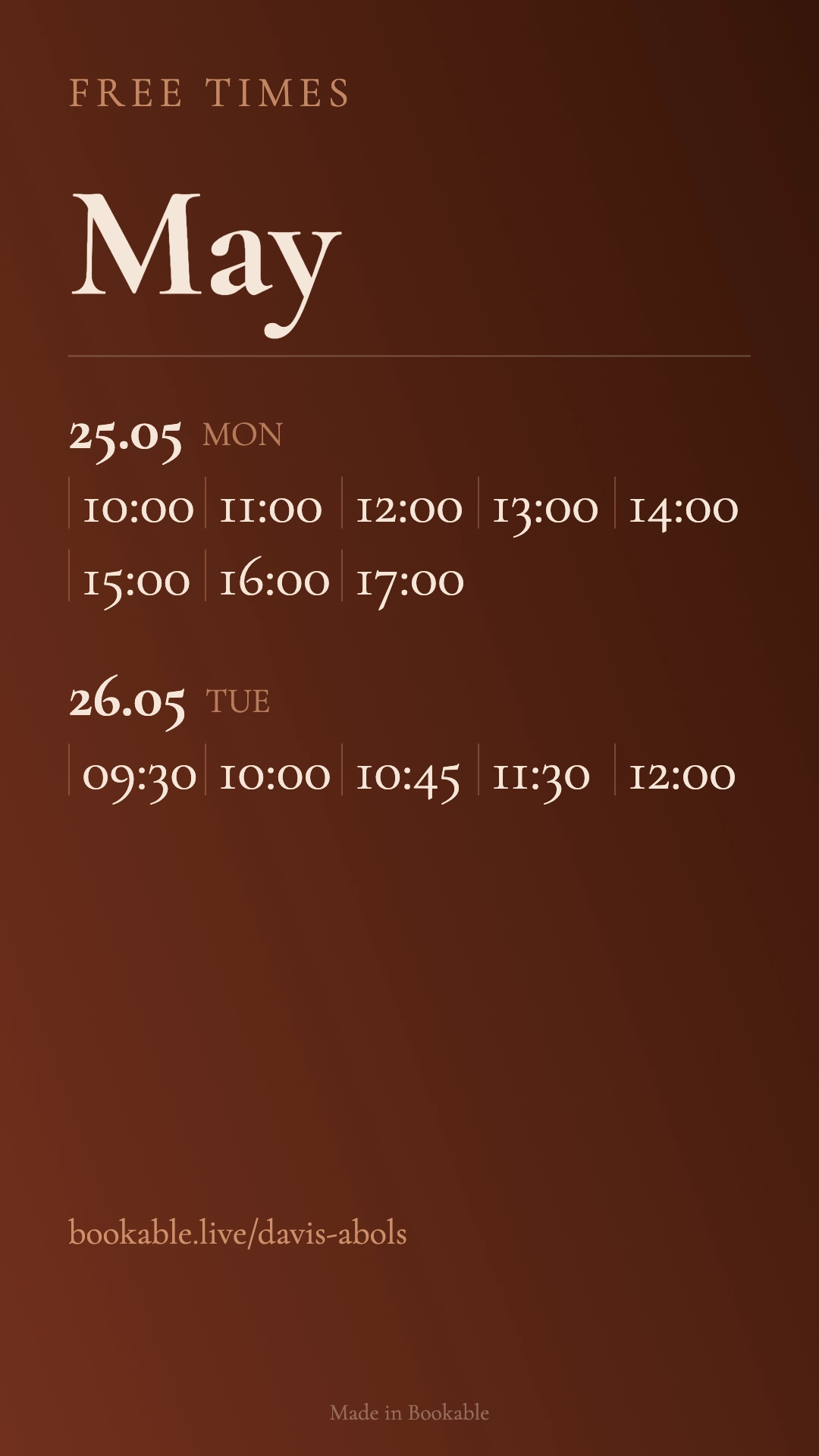
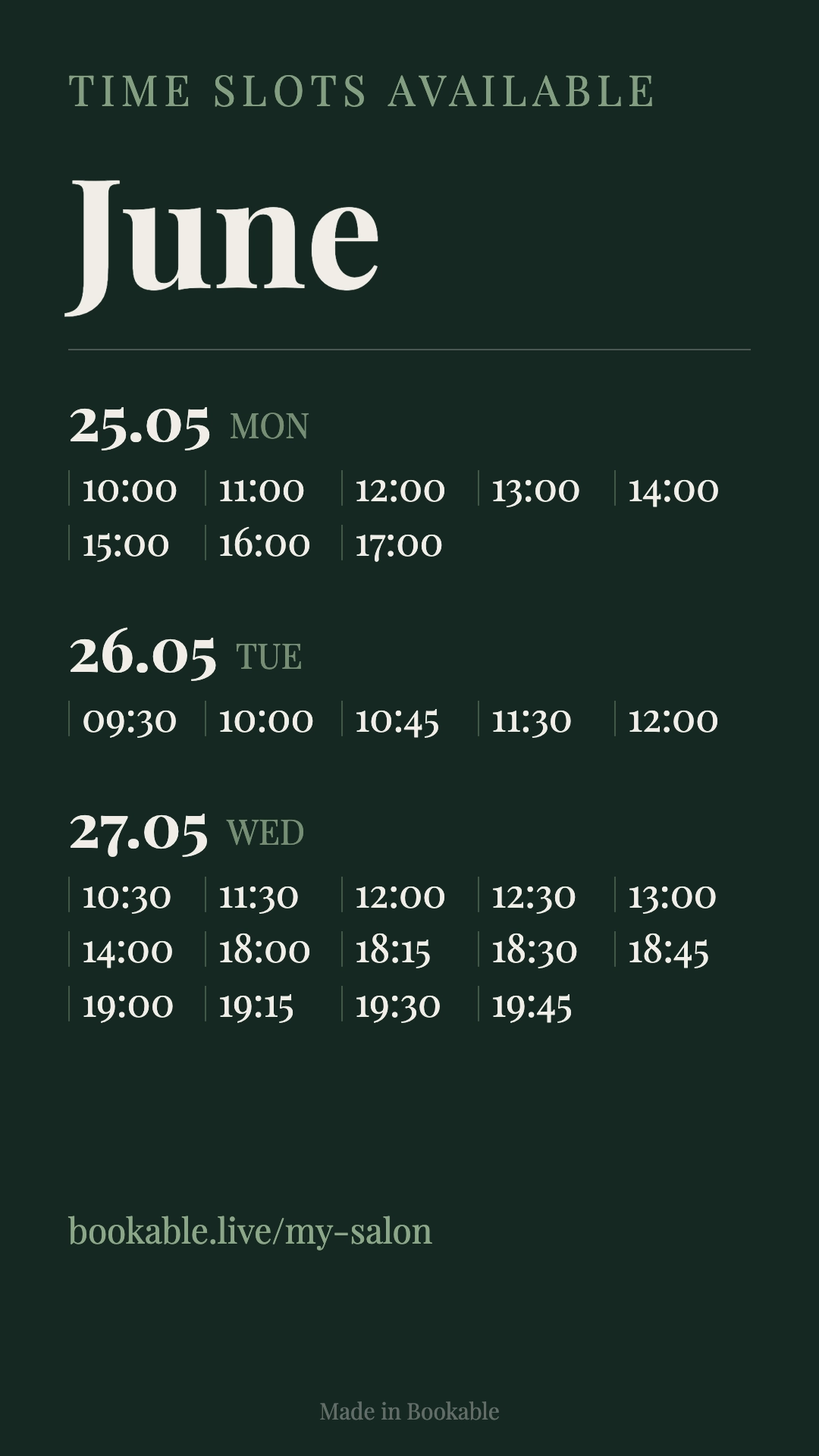
- ✓ Live data from your public booking page — when a slot is booked, it disappears from the next export.
- ✓ Filter by date range, staff member, or service (great for multi-chair salons).
- ✓ Custom fonts, colors, gradients, and saved templates — match your brand in one click.
- ✓ Built-in CTA with your booking link — pair with an Instagram link sticker when you post.
How to use Story Maker for Instagram bookings (step by step)
Story Maker is included with Bookable Pro. Once your booking page is live, the workflow takes about two minutes:
- Open Story Maker in your Bookable dashboard (sidebar → Story Maker).
- Choose your content — set the date range (this week, next week, or a promo window), pick a staff member or service if needed, and adjust the title/subtitle (e.g. “June · Free times”).
- Style it — pick a solid or gradient background, set text colors, and save as a reusable template for next time.
- Download the PNG — 1080×1920, the exact size Instagram expects for Stories.
- Post to Instagram — upload the image, add a link sticker pointing to your Bookable booking URL, and publish.
Pro tip: post availability stories on Sunday evening or Monday morning when clients plan their week. Salons and barbers who do this consistently see more Instagram appointment bookings without answering a single “are you free?” message.
Set up your booking link for Instagram traffic
Before you post your first Story Maker image, make sure your booking page is optimized for mobile Instagram visitors — most will tap from their phone and book within 60 seconds or leave.
- Short, branded URL — use your Bookable link in bio, highlights, and story stickers consistently.
- Clear service list — name services the way clients search (“Balayage,” “Skin fade,” not internal codes).
- Photos and policies — a logo, cover image, and a brief cancellation policy build trust from a cold Instagram tap.
- Calendar sync — two-way Google Calendar sync prevents double bookings when Instagram drives a spike in traffic.
- Deposits (optional) — connect Stripe so high-demand slots require a deposit at booking time.
Need a conversion checklist? See our Online Booking Page Checklist.
Where to put your Instagram booking link
Do not hide your booking URL in a Linktree buried three taps deep unless you have a strategic reason. For most service businesses, the booking link should be the primary action:
- Instagram bio — “Book online” or “Appointments” as the link text.
- Story highlights — a permanent “Book now” highlight with your Story Maker image and link.
- Weekly Stories — fresh Story Maker exports when you have openings (especially last-minute gaps).
- Reels captions — “Link in bio to book” on transformation and behind-the-scenes content.
- Auto-reply (optional) — Meta’s quick replies can send your booking link when someone DMs “price” or “book.”
Instagram booking ideas by industry
Story Maker works across any business that posts availability on social media:
- Salon & beauty booking on Instagram — post color correction openings by stylist; filter Story Maker by staff member.
- Barber appointment booking — share same-day fade slots before the lunch rush.
- Personal trainers & coaches — weekly “open session” stories for intro calls or class packs.
- Photographers — mini-session weekends with a date-ranged Story Maker export.
- Consultants & freelancers — “office hours this week” stories with a clean, minimal template.
Instagram booking vs. other channels
Instagram is not your only booking source — Google Business Profile, your website, and word of mouth matter too. But Instagram has unique advantages: visual proof of your work, social proof in comments, and Stories that create urgency. Bookable keeps all channels on one calendar, so a booking from Instagram, Google, or your website never creates a double booking.
Pair Instagram with automated reminders and you get the full loop: discover on Instagram → book online → show up on time.
Common mistakes (and fixes)
- Posting outdated availability screenshots — fix: use Story Maker so slots always match your live calendar.
- Only booking via DMs — fix: put your Bookable link in bio and reply to DMs with the link, not a time negotiation.
- No link on Stories — fix: always add a link sticker; Stories without a CTA rarely convert.
- Slow booking page on mobile — fix: Bookable booking pages are mobile-first by default; keep service lists focused.
- Forgetting reminders — fix: enable email/SMS reminders so Instagram bookings do not no-show more than other channels.
FAQ: Instagram appointment booking
Can you accept bookings through Instagram?
Yes — via a booking link in your bio, story link stickers, and posts. Clients tap through to your online scheduling page and confirm instantly.
Does Instagram have built-in appointment scheduling?
Not for most independent service providers. You need a third-party booking tool like Bookable with a shareable link and mobile-friendly flow.
What makes Story Maker different from Canva?
Canva is a design tool — you type times manually. Story Maker reads your real calendar availability, updates when slots are taken, and exports the correct 1080×1920 story format with your booking CTA.
Is Story Maker free?
Story Maker is a Pro feature on Bookable. You can create your booking page and start accepting Instagram bookings on the free plan; upgrade to Pro to unlock Story Maker, SMS reminders, and custom branding.
Start accepting Instagram bookings today
Create your Bookable booking page, add the link to your Instagram bio, and use Story Maker to post this week’s availability in under two minutes — no design skills required.