Google CalendarMicrosoft OutlookWhatsAppShopifyStripeZoom
Benefits
Everything you need to take bookings online
Bookable helps salons, clinics, studios, and service businesses accept bookings, manage schedules, and
reduce no‑shows.
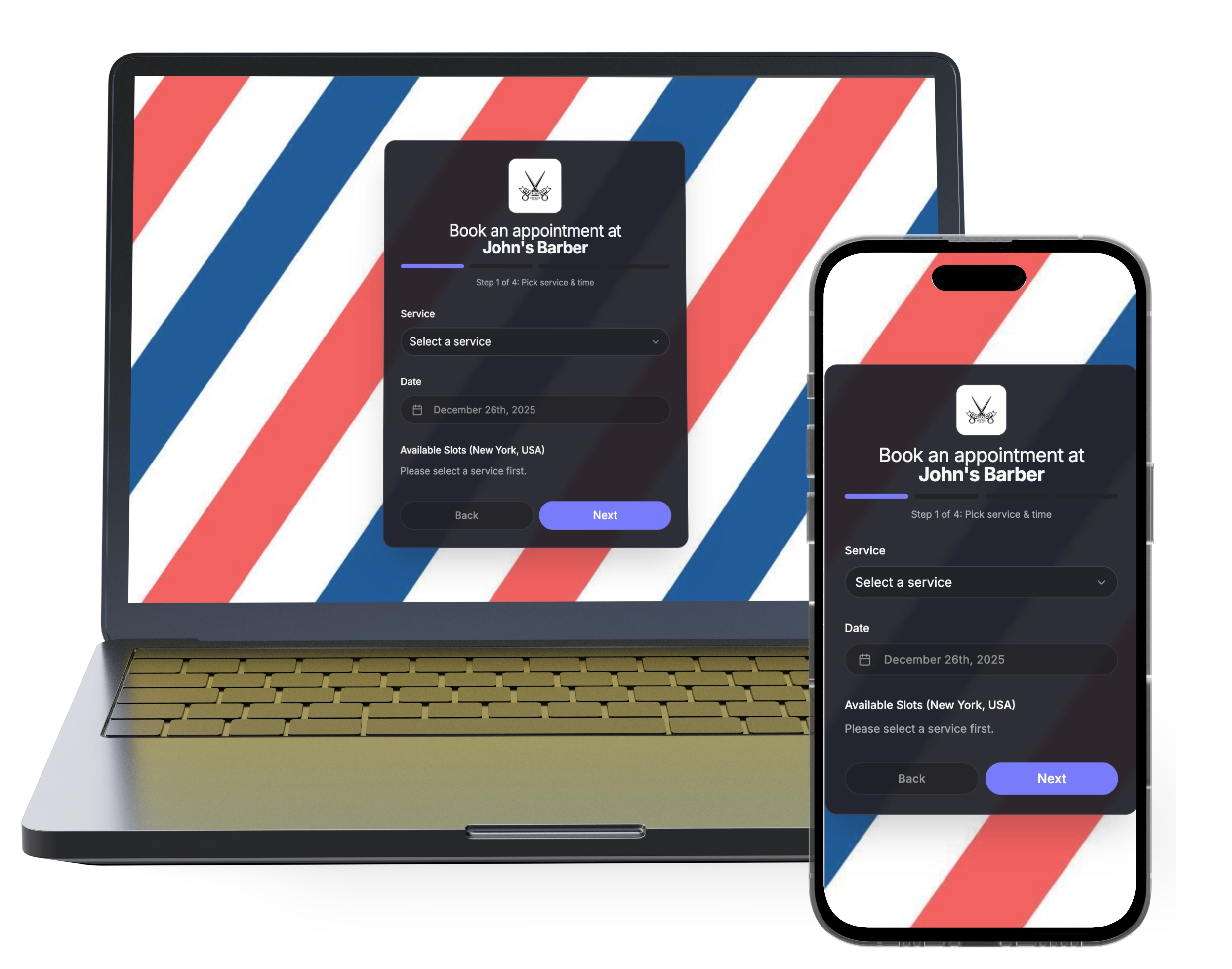
Branded booking pages
Share a beautiful booking link with your brand, services, prices, and live availability. Our booking pages are highly customizable to match your brand identity.
Two‑way sync with Google Calendar and Microsoft Outlook prevents double‑bookings.
Staff & multi‑venue
Assign services to specific team members and locations. Let clients choose or auto‑assign.
Automated reminders
Reduce no‑shows with email, SMS, and WhatsApp (coming soon) reminders you schedule — for example, 24 hours and 2 hours before.
Widget embed
Embed the booking experience directly into your website as an inline iframe, or add a fully customizable popup button — choose shape, color, and gradient — that opens the widget in an overlay.
Analytics & exports
Track bookings, cancellations, revenue and export clients & appointments to CSV.
Payment collection
Accept payments on your booking page via Stripe. Charge the full price or a deposit (a percent of the total or a fixed amount). The remaining balance is due at the appointment. Apple Pay, Google Pay, Visa, Mastercard, and more.
Direct support from the team
Email the team and a person replies. We help you set Bookable up for your business.
New
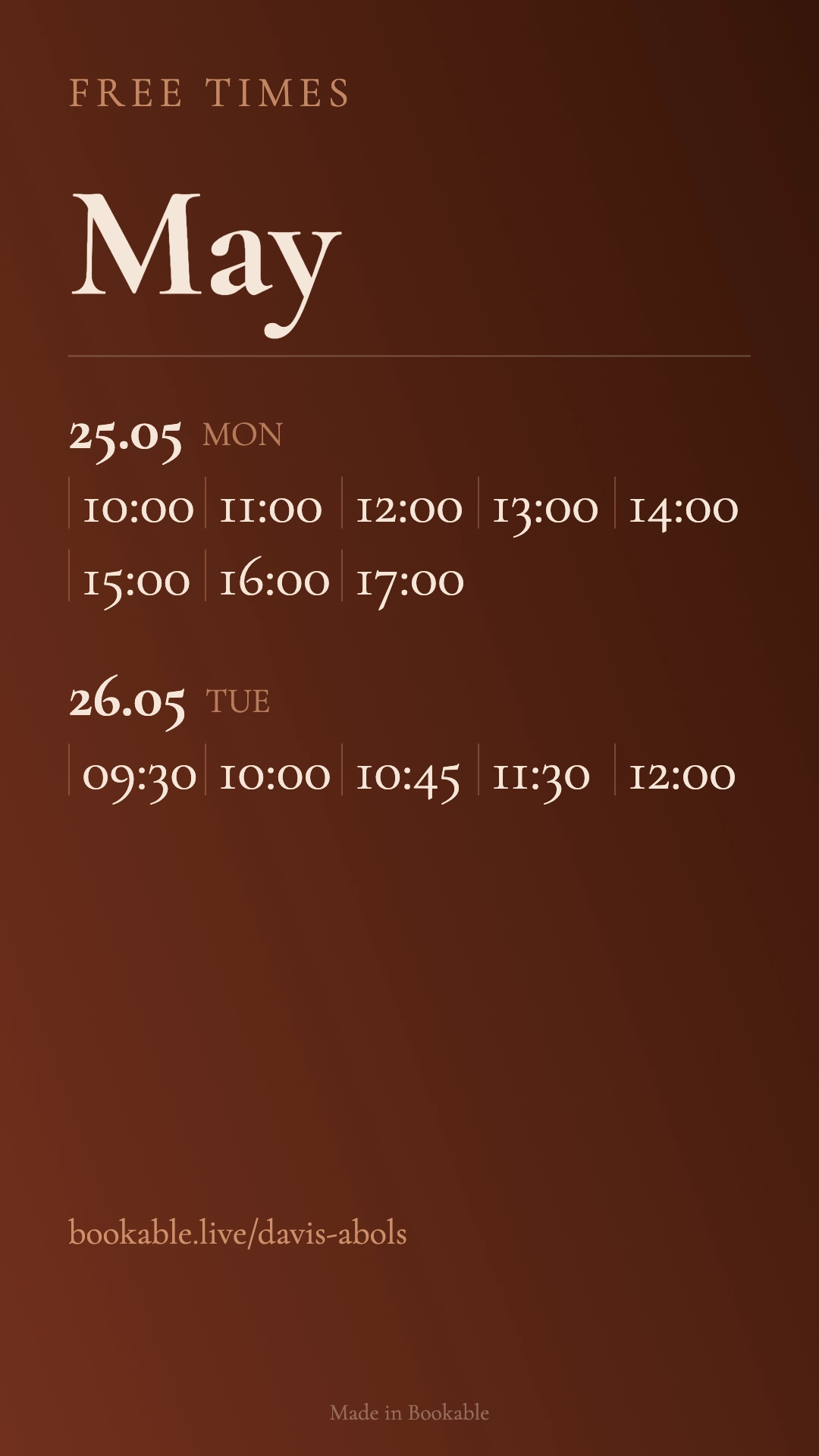
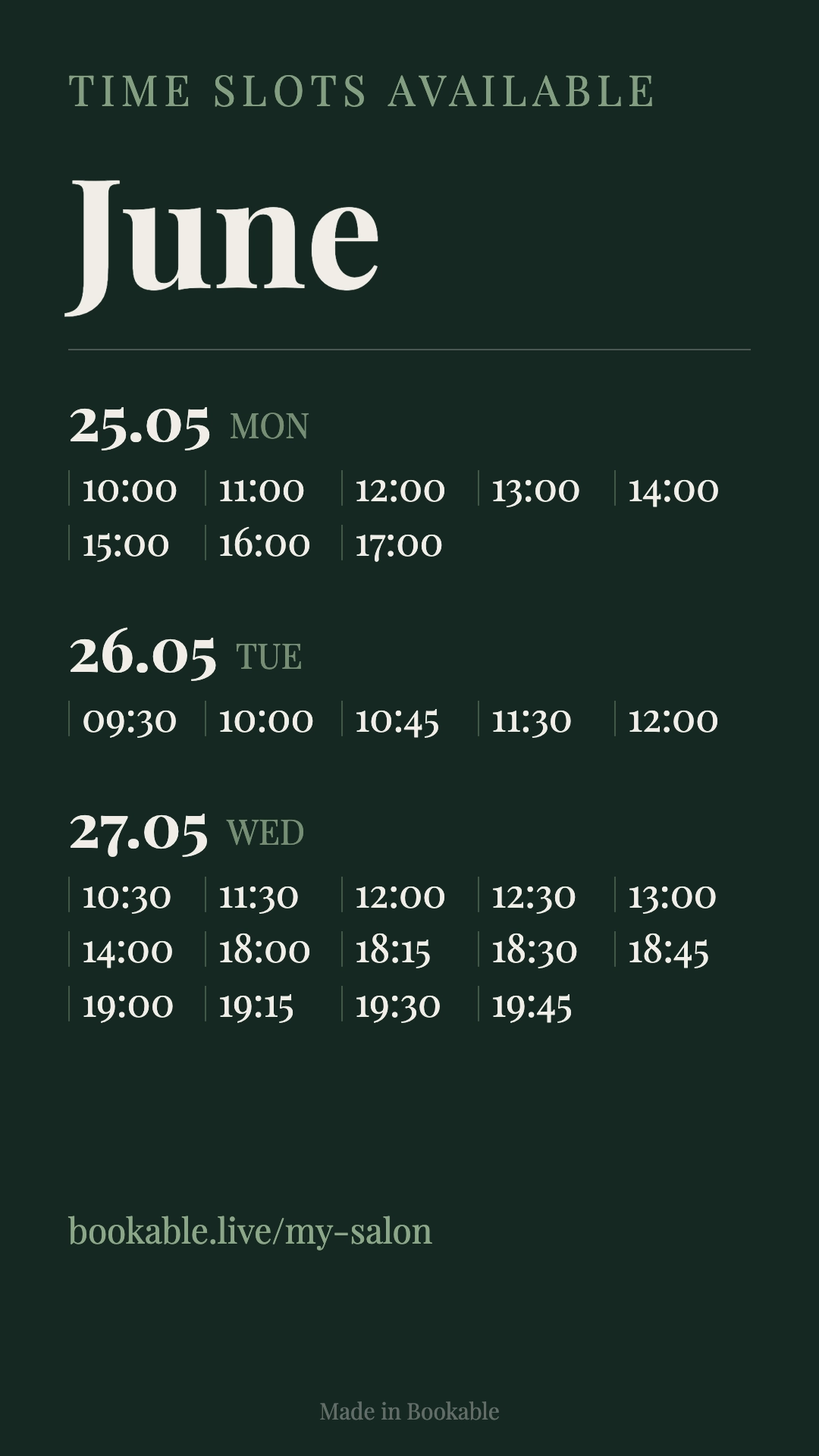
Story Maker
Turn your open times into a ready-to-post Instagram story. Pick dates, services, and staff, then export a 1080×1920 image.
Custom backgrounds — solid colors & gradients
Font, size, and opacity controls
Filter by date range, staff, and service
Save templates and reuse them anytime
How it works
Go live in three simple steps
Set up your booking page and share the link. Bookable shows only open times, adds each booking to your calendar, and sends the reminders you scheduled.
Step 1
Create your booking page
Add your services, prices, staff, and
availability. Make it match your brand.
Step 2
Share your link
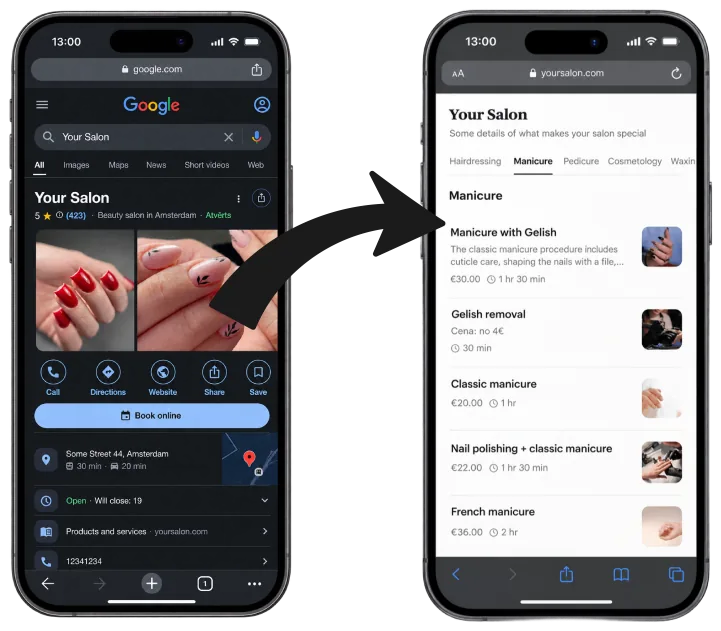
Put it on your website, Google Business
Profile, Instagram bio, or send it to clients.
Step 3
Stay in sync & reduce no‑shows
Two‑way calendar sync prevents
double‑bookings, and automated reminders keep clients on time.
Do I need it?
If no-shows, phone bookings, and reschedules eat your day, this is for you
Bookable is built for appointment businesses — salons, clinics, studios, and other services — where no-shows, reschedules, and admin are daily work.
Whether you work alone or with a team, clients book themselves, open times stay on your calendar, and reminders go out on the schedule you set — so you spend less time on the phone and in the diary.
Perfect for life coaches, business consultants, tutors, and mentors. Let clients book sessions
online and send automated reminders. Make your brand stand out with a highly customizable booking
page.
Gyms & Trainers
Take class bookings, schedule personal training, manage venues, and keep sessions full with
reminders in SMS and WhatsApp (coming soon) - where your clients will actually see them.
Perfect for cleaners, electricians, plumbers or mobile professionals. Let customers pick time slots
for visits. Get feedback after the job with automated follow-up messages.
Freelancers & Creatives
Accept bookings for sessions, shoots, meetings or workshops — all with an easy, branded booking
page. Choose how to speak to clients with custom email, SMS and WhatsApp (coming soon) reminders.
Switch from Calendly, Acuity, or Square in minutes
Already using another booking tool? Import clients, appointments, and services from a CSV. You choose which columns come across.
Drag & drop CSV import
Export a CSV from your current tool and drop it into Bookable. We suggest column matches. You confirm the mapping before anything is imported.
Clients, appointments & services
Import each list in its own step: clients, appointments, and services. Only the columns you map are imported.
CSV from common booking tools
Calendly, Acuity Scheduling, Square Appointments, Setmore, or another tool that exports those lists as CSV. You map columns to Bookable fields. Unmapped columns stay out.
Testimonials
What our customers say
via Trustpilot
"We are a small charity, after reviewing many booking systems we decided Bookable offered us what we needed. Excellent knowledgeable staff, they have been very accommodating. They offered us a virtual call to ensure we are setting things up to work for our organisation, and getting the best from the App."
Veronica Smith
Hugo Burge Foundation
via Trustpilot
"Very convenient!"
Gustavs Tomsons
FAQs
Frequently asked questions
Everything you need to know about
Bookable online booking and scheduling.
Can I sync with Google Calendar or Outlook?
Yes. Bookable offers real-time, two-way calendar sync with both Google Calendar and Microsoft Outlook. Whenever a client books through your online booking system, the appointment instantly appears on your personal calendar and updates automatically if anything changes. This prevents double-bookings, keeps your schedule organized, and ensures your availability is always accurate across all devices.
Do you support multiple team members and locations?
Absolutely. Our online booking software is designed for businesses of any size. You can add multiple staff members, assign individual working hours, and manage several locations under one account. Customers can choose their preferred team member, service, or venue directly from your booking page, making the scheduling process smooth and professional.
How do reminders work?
You choose when reminders go out, in hours before the appointment. A common setup is 24 hours before, then again 2 hours before, by email, SMS, or WhatsApp (coming soon). Bookable sends them at the times you set.
Is there a free plan?
Yes. Our Starter plan is completely free and gives you access to the core features of our online booking system, including unlimited appointments, a customizable booking page, calendar sync, and email reminders. It's perfect for freelancers, small businesses, or anyone wanting to try out a powerful scheduling tool without upfront costs.
Can I export my data?
Definitely. You can export your clients, appointment history, and messages to CSV at any time. Bookable believes in full data portability, so you always maintain ownership and control over your information. Data exports make it easy to migrate, back up records, or integrate your booking system with other tools you use.
Can I pre-select services for the embed widget?
Yes. In your settings, you can choose a specific service, staff, or venue to pre-select. You can also choose between an inline iframe or a customizable popup button (with shape, color, and gradient options) that opens the widget in an overlay. A live preview shows exactly how the button will look, and the embed code updates automatically.
What happens if I'm sick or have an emergency?
No problem — with a single tap, you can cancel all appointments for the day. Every affected client is automatically notified via email or SMS, so you don't have to contact anyone manually. It's designed for real-life situations where things come up unexpectedly.
Can I accept payments for my services?
Yes. Connect Stripe and require payment before booking. Charge the full service price, or a deposit as a percent of the total or a fixed amount. Clients pay online with Apple Pay, Google Pay, Visa, Mastercard, and more; any remaining balance is due at the appointment.
Still got questions?
Talk to the founder
Book a 15‑min call with Dāvis
Have questions about Bookable, integrations, or how it would fit your business? Grab a free
15‑minute intro call. No sales pitch — just a quick chat to help you decide.